Edges are the things connecting different nodes in 6DEGREES. They identify current or past relationships, ownership direction and more.
Contents:
Types of edges
There are three edge types in 6DEGREES:
- A solid line between two nodes -> this identifies a current link been two entities.
- A dashed line between two nodes -> this identifies a past/inactive link between two nodes.
- An edge with an arrow -> this identifies ownership direction (can be solid or dashed).
How to use edges
Let's look at some examples:
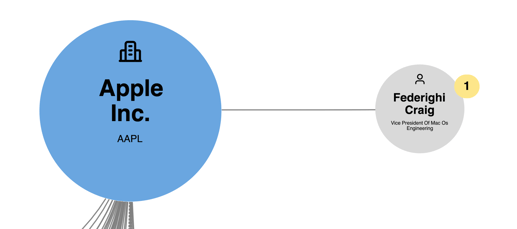
Craig Federighi has a solid edge between him and AAPL telling us that he is a current insider of the company.
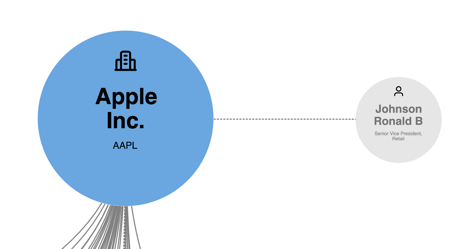
Next, this dashed line between Ronald Johnson and AAPL tells us that he is a former insider of the company. Also, note that his node is muted when compared to others.
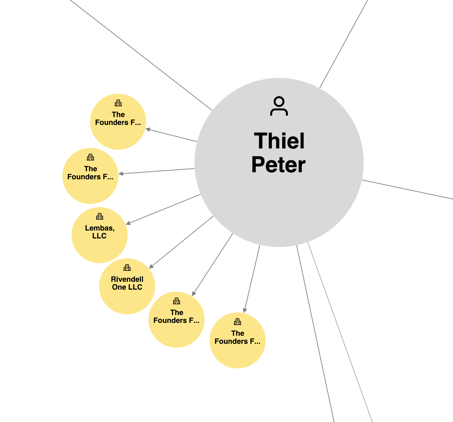
Now, let's look at some directional ownership. These typically appear when an individual reports owning a holding entity and have arrows indicating the ownership direction. This example shows Peter Thiel and the holding companies or funds that he's reported owning through:
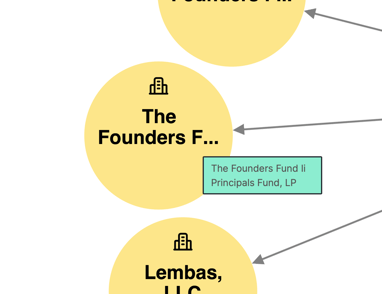
Tip: for longer names that don't fit within a node, try hovering over the node to reveal the entire name like this: