
Let's start looking at some more complex layouts and structures within 6DEGREES. Understanding some of the key concepts in this article will help you get the most out of the tool and be able to tell at a glance what different clusters and groupings mean.
Contents:
Understanding proximity
In 6DEGREES, proximity to another node indicates that there's substantial shared links between the two—let's look at some examples:
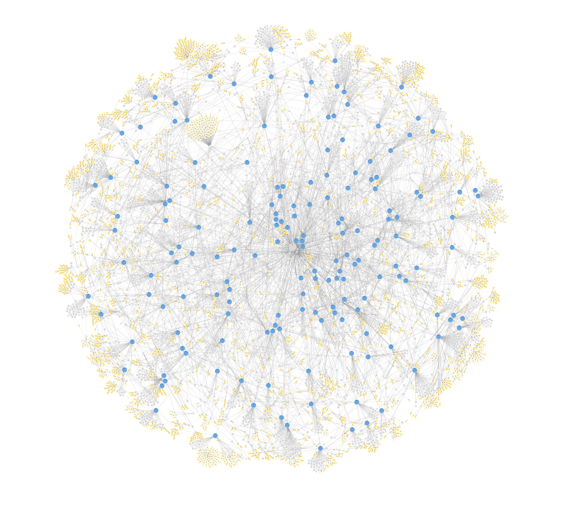
You can try this example for yourself by clicking here, or by searching for "Eric Sprott" in 6DEGREES Explore.
This is a very complex graph. You can see thousands of people and over 150 companies this insider has been involved in.
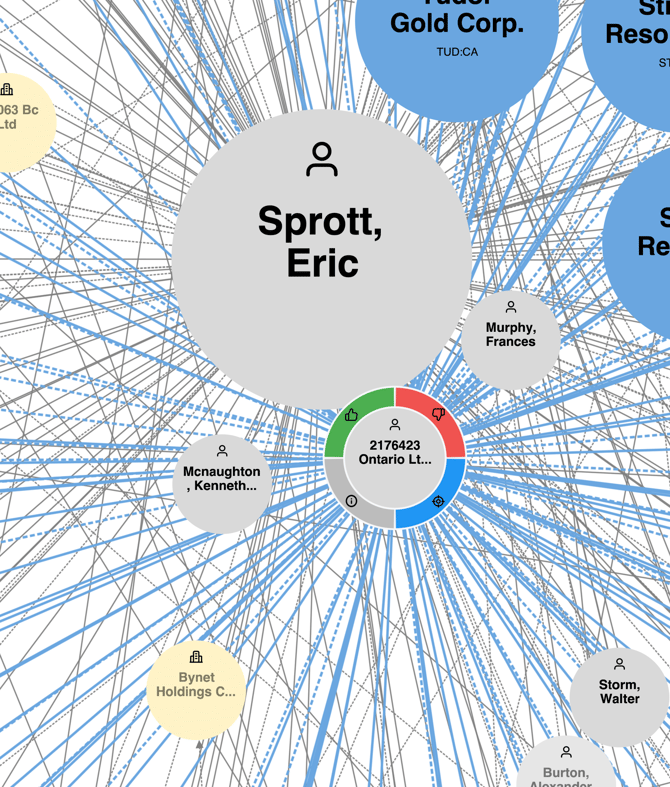
If we zoom into the centre of the graph to Eric Sprott, we can see there are a few nodes that are very close to one another. Because they are so close together, this tells us that the nodes have a high number of common reported management or shareholders between them.
In the case of 2176423 Ontario Ltd in the image below and since they are almost touching each other, we can impute that Eric must either own this numbered company or they have nearly identical holdings.
Now, let's take this a step further and see if we can confirm our assumption.
Understanding holding companies in 6DEGREES
Let's stick with the same example. We want to see if our assumption that the numbered 2176423 Ontario Ltd company is owned by Eric Sprott, so let's dig deeper.
This is a very complex example since Eric has so many reported holdings, but it illustrates the power of 6DEGREES—even for complex graphs, very well.
You can see the layout in this level of complexity can be hard to digest - this is something we're actively working to improve in future releases.
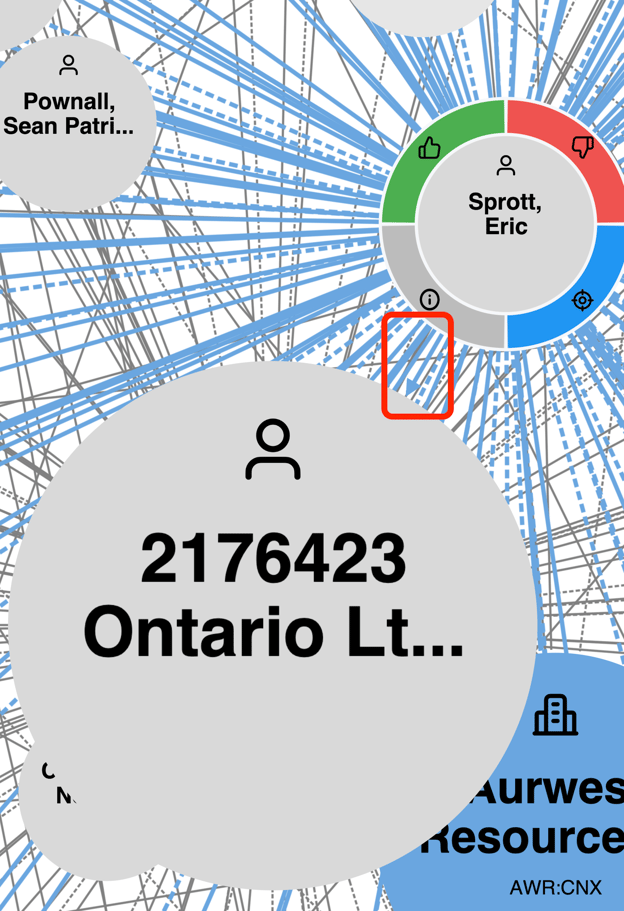
Note within the red box that there is an arrow coming from Eric Sprott -> 2176423. Arrows indicate both ownership and the direction of that ownership when it relates to holding companies or holding entities.
Summary
- Proximity/closeness between nodes tells us they share a large number of same reported transactions and holdings between them.
- Arrows indicate ownership direction between an individual (or another company) and a holding entity/holding company.