
Let's get to know the different types of nodes, colours and labels within 6DEGREES.
Contents:
Companies & issuers
Within 6DEGREES you will be able to see any current or past public issuer or private reporting issuer within North America.
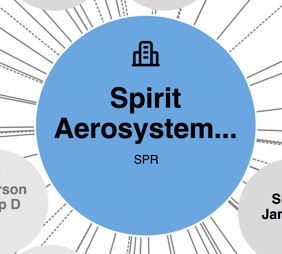
You can identify a company by it's blue colour as well as the small building icon within the node.
Public companies will contain the company name as well as the ticker symbol below like this:
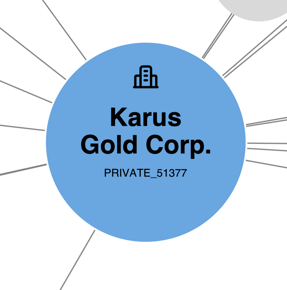
A private or delisted company looks similar with the exception of the ticker symbol is either replaced by OLD_ for delisted symbols or PRIVATE_ for private issuers. Here's an example of a private issuer. The number following the text is either the Canadian issuer number or the American CIK number.
Individuals & owners
Now, let's dive into the people and owners of the companies we just looked at above.
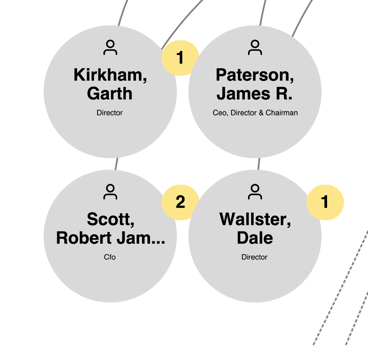
Owners are shown in 6DEGREES as grey nodes with small human avatars to identify them as owners or people. Here's an example within a company view where we're showing the name of the insider as well as (if available) the position of the person.
See the yellow bubbles with numbers? Those tell us the person has reported they own a holding company (or many). See the next section for more details.
There's also the case where a company or issuer might have reported owning another issuer. In this case, they will still show up as owners like the above, but there will be a company name in the place of a person's name. Here's an example:
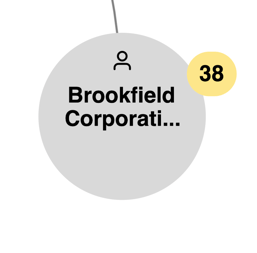
We're working to better identify humans versus other companies or issuers. You will see continuing improvement over time to more accurately identify them.
Holding companies
Holding companies are identified when an insider reports that they own or took an action through another entity and could have indirect ownership through that holding company.
From a company view (learn more about different views in 6DEGREES here) you might see yellow bubbles on a node with a number in them. To keep views easier to see, we hide holding companies in this view.
Indirect ownership
To expand the view to see the reporting holding companies, click/tap on the number. To collapse, click again on the same number. Here's the same example as above, with the holding companies expanded:
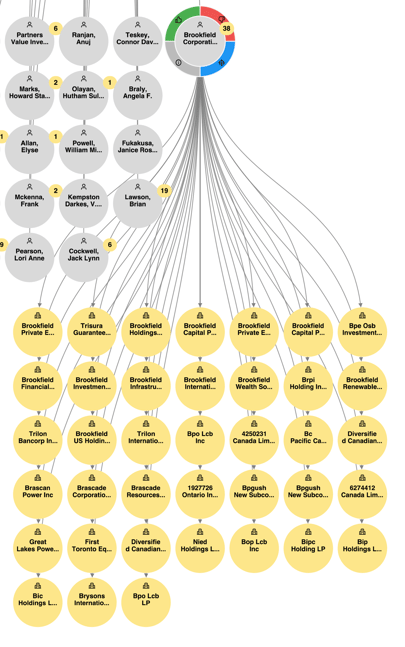
Direct ownership
There are also instances where these holding companies can directly own companies. In this case, the holding company can appear grey and connected to an issuer. Let's look at an example where an issuer reported owning another company, we know this because in the view the issuer is grey instead of blue:
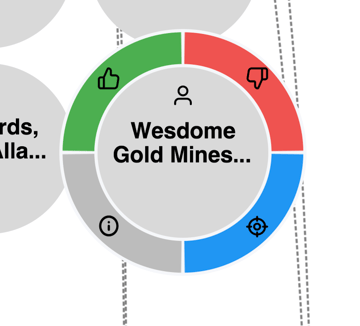
Shared ownership
For holding entities owned by more than one person or company, you will see this reflected with the directional arrows identifying both ownership direction and multiple nodes being connected together. Here's an example:
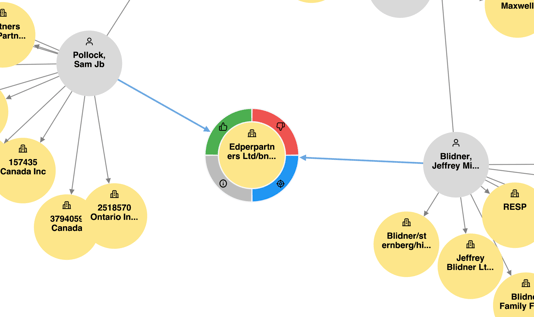
Shared ownership is incredibly complex and difficult. We are constantly improving to reduce duplicates and improve the database. Over time, you will see this continue to improve.
Viewing long names
Some names/labels on a node are long and don't fully fit into the node. To reveal them, hover over the note to reveal the label or tap on the node to have the full name revealed.